






TURN
TURN – a new service to all MyVMS software users. This new development is designed to make the use of our products even more convenient for you.
The TURN service turns on automatically when using the DynDNS service.
Now you are able to connect to MyVMS software servers because of the TURN service and, moreover, without any extra network address translation (NAT) installation.

Before, the server used a public IP-address for client connection. Now MyVMS software users can connect to the server, even if the server does not have a white IP-address.

The service works automatically for all kinds of connections to the server: Client software for PC, browser, and mobile clients. There is no need to indicate the connection port; you only need a registered server domain name that can be received through the DynDNS service.
The TURN-server provides this service and guarantees you total data confidence. We do not record and process derivable client data. Our position is to mediate between the client and the MyVMS server.
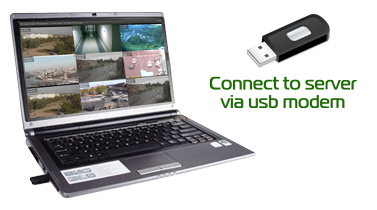
TURN service users have free access to a 1Mb rate for one server.
You can accelerate the speed by using a common or detached Internet channel. If the user singles out a general online channel, it would require a fee of 10 cents per day for each additional Mb/s. It is also possible to use a detached online channel by client demand.
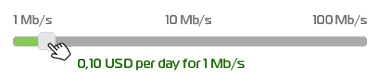
You can enable the necessary speed on the main page for MyVMS Cloud using a special slider. Write-off occurs once a day, at night. The set amount will be charged automatically until the account funds have been exhausted, or the client has changed the position of the slider.
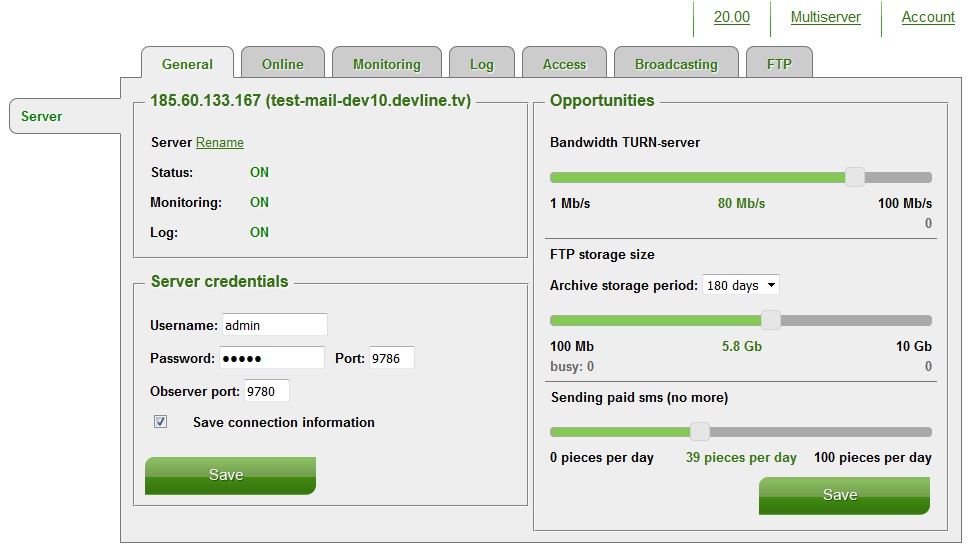
Please note: the maximum amount is always charged each day. If you change the position of the slider to a larger amount, the difference will be immediately applicable. If you change the position of the slider to a smaller amount, the different will not be credited. The larger amount will be charged that night.


